Adobe Podcast vs Descript vs Cleanvoice AI: Which Wins for Audio Quality, Speed & Features?
Adobe Podcast often gives you the strongest audio cleanup quality in direct comparisons. Descript usually provides the fastest overall editing workflow. Cleanvoice AI works best when you need quick automated removal of filler words and silences.
The right choice depends on your main pain point. In this article, we compare audio quality, speed, features, and real value across all three tools based on current 2026 capabilities.
So, let’s get started the most important details first!
Adobe Podcast: Often Delivers the Cleanest Audio Enhancement Results
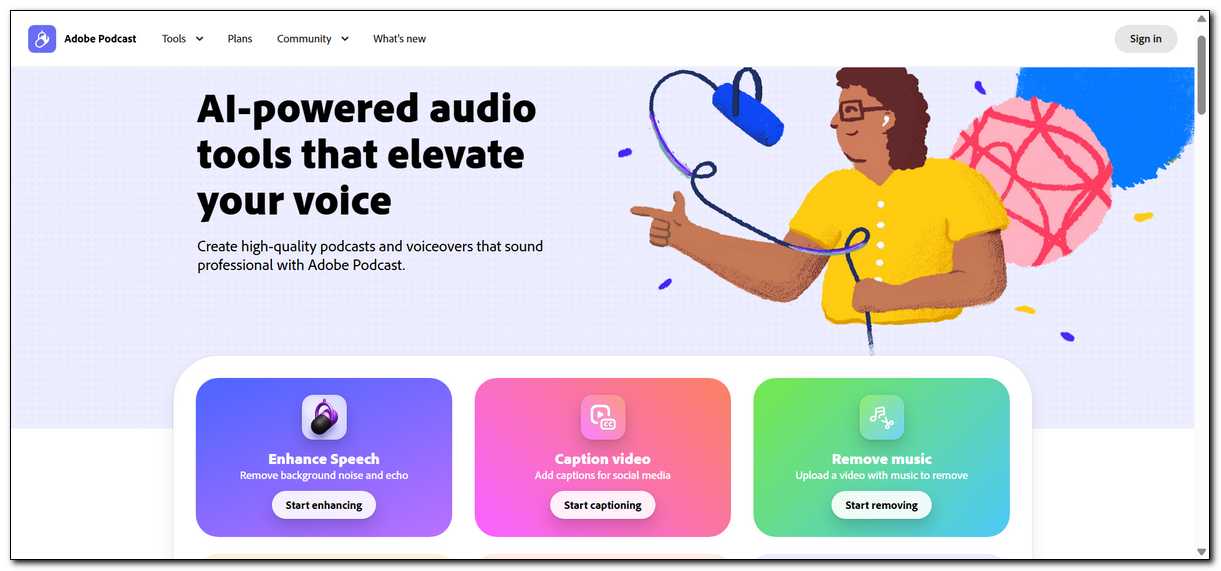
Adobe Podcast often delivers the cleanest audio enhancement results for most recordings. Many users in 2025 and 2026 tests report better noise removal, echo control, and accent handling than the other two tools. You can start with the free tier for basic cleanup.
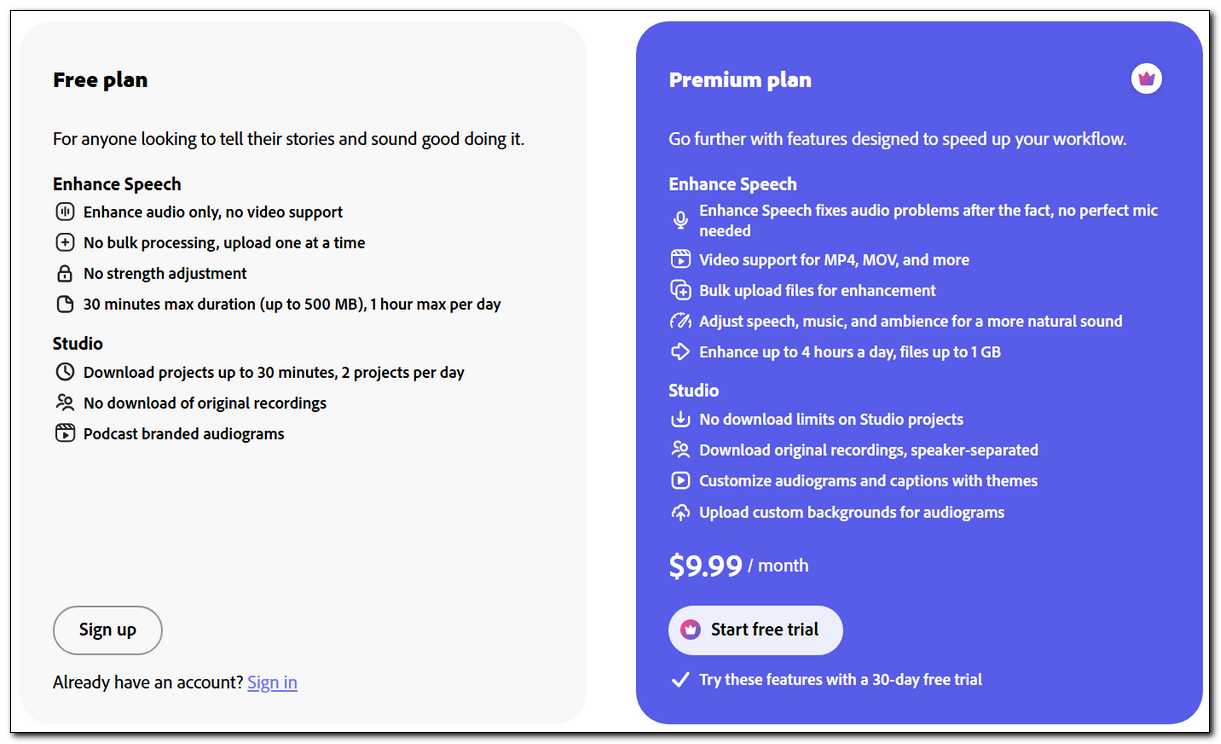
Adobe Podcast Premium costs $9.99 per month. It lets you raise your daily enhancement limit to four hours and adds source separation so you can adjust speech, music, and background layers independently. You still review the output because the AI can sometimes remove subtle non-verbal sounds you want to keep.
The text-based editing in Studio remains less mature than Descript. It doesn’t offer strong built-in filler word removal or voice cloning. Many people pair it with another tool when they need those features. That said, the enhancement quality alone makes it worth trying for a lot of creators.
Descript: Usually Gives You the Fastest Text-Based Editing Workflow
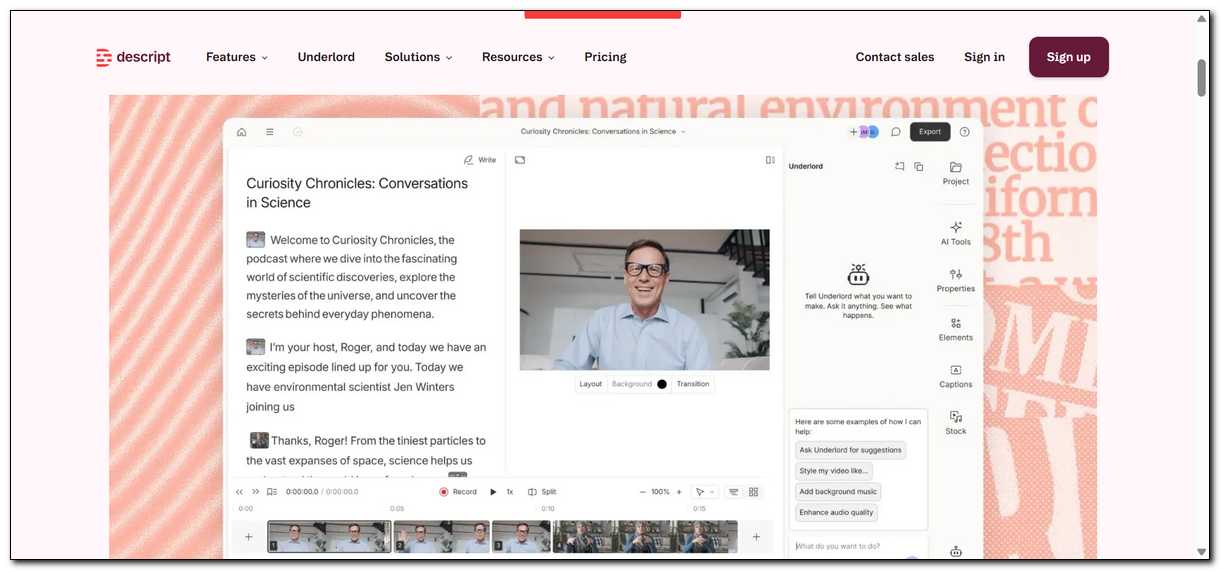
Descript usually gives you the fastest text-based editing workflow once you learn the interface. You edit audio and video by changing words in the transcript. Delete a sentence and the matching audio disappears. Overdub lets you type fixes in your own voice without re-recording.
Descript pricing starts free with limits. The Creator plan costs around $12–15 per month when billed annually. The Pro plan sits near $24 per month for heavier use. You spend AI credits on features like Studio Sound and Overdub, which can add up if you process many files each month.
Studio Sound improves noise and echo but sometimes leaves more background residue than Adobe Podcast in side-by-side tests. Descript can also feel heavier on older computers during complex projects. Here’s how it plays out in practice for many users.
Cleanvoice AI: Works Best for Fast Automated Filler and Silence Removal
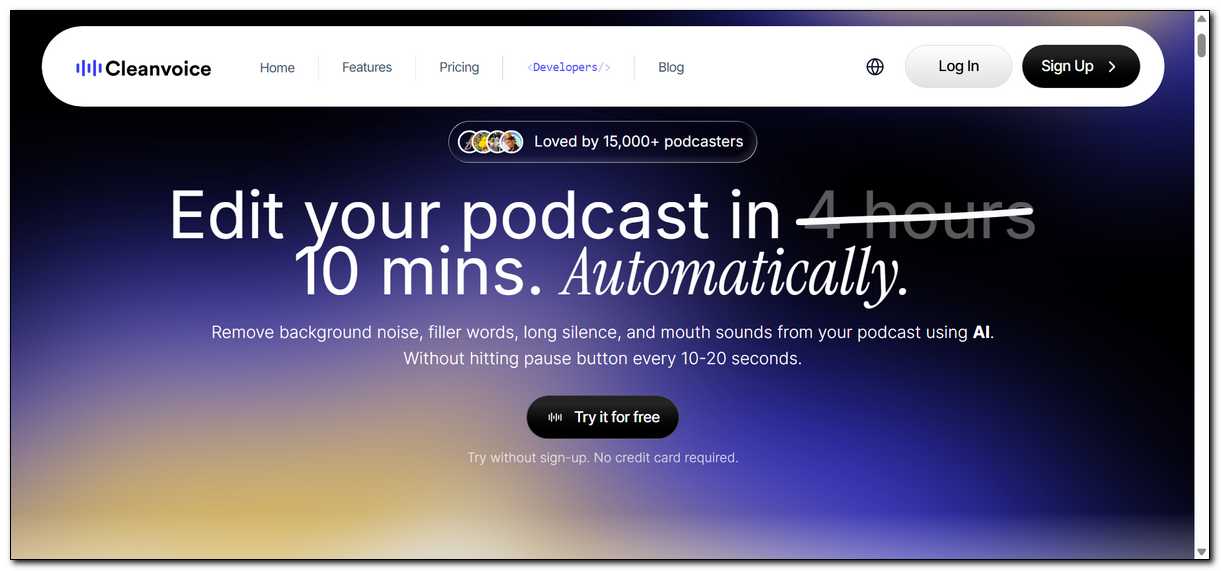
Cleanvoice AI works best when your main issue is filler words, long silences, and mouth sounds. You upload a file, and it automatically removes these elements while trying to preserve natural pacing. Many podcasters use it as a quick post-production step.
Cleanvoice AI doesn’t replace a full editor. It lacks text-based editing, voice cloning, and strong multi-track tools. You usually combine it with Adobe Podcast or Descript rather than using it alone.
You still need to review the output because automated removal can occasionally cut natural pauses you wanted to keep.
Pricing works on a pay-per-hour or subscription basis, often starting around $10 per month for moderate use. It offers good value when you only need specialized cleanup. That said, it’s rarely the only tool most people rely on.
Audio Quality Varies by the Specific Problem in Your Recording
Audio quality depends on the type of issue in your file. Here’s how the three tools perform on common problems based on 2026 user reports and tests.
| Issue | Adobe Podcast | Descript | Cleanvoice AI |
|---|---|---|---|
| Heavy background noise | Often strongest removal | Good but can leave some residue | Moderate help |
| Echo and room tone | Strong cleanup | Solid with Studio Sound | Limited effect |
| Accents | Handles well in many reports | Good but sometimes less natural | Varies by file |
| Filler words (um, ah) | Basic detection only | Built-in removal available | Excellent automated removal |
| Mouth clicks and stutters | Limited | Good | Strong |
| Natural voice preservation | Very good with decent source audio | Good, sometimes slightly processed | Good pacing preservation |
No single tool wins every category.
- Adobe Podcast leads on raw noise and echo removal for many people.
- Descript balances quality with editing speed.
- Cleanvoice AI shines when filler words and silences are your biggest problem.
You might find that testing your own files gives the clearest picture.
Editing Speed Depends on Whether You Prefer Text or Waveform Work
Editing speed changes based on how you like to work. Adobe Podcast offers simple one-click enhancement and basic text editing in Studio. You can finish basic cleanup and export reasonably quickly once processing finishes.
Descript usually wins on overall editing speed for longer or more complex projects. Text-based editing lets you make big cuts and fixes faster than traditional waveform work. Overdub further reduces time spent re-recording small mistakes.
Cleanvoice AI provides the fastest path for specific cleanup tasks. You upload, wait a short time, and download a cleaned file. It doesn’t help with structural editing or creative decisions. Most people use it as one step in a larger process.
In practice, this makes it a strong supporting tool rather than a standalone solution.
Here is how long typical tasks often take for a 30-minute episode.
| Task | Adobe Podcast | Descript | Cleanvoice AI |
|---|---|---|---|
| Basic noise removal | 5–15 minutes processing + review | 5–10 minutes with Studio Sound | 3–8 minutes |
| Filler word removal | Manual or limited | 5–10 minutes | 3–7 minutes automated |
| Major structural edits | Moderate (beta text editing) | Very fast (text-based) | Not designed for this |
| Voice fix without re-recording | Not available | Fast with Overdub | Not available |
Feature Comparison Shows Different Focus Areas
Each tool prioritizes different parts of the production process. Here’s a clear breakdown of key features so you can see where they overlap and where they differ.
| Feature | Adobe Podcast | Descript | Cleanvoice AI |
|---|---|---|---|
| Text-based editing | Yes (beta, improving) | Yes (mature and polished) | No |
| Voice cloning | No | Yes (Overdub) | No |
| Advanced noise removal | Yes (strong, with source separation on Premium) | Yes (Studio Sound) | Moderate |
| Filler word removal | Limited | Yes | Excellent |
| Video editing support | Basic (Premium) | Strong | No |
| Remote multi-guest recording | Yes (Studio) | Yes | No |
| API access | Limited | Yes | Yes |
Adobe Podcast gives you solid recording and enhancement in one browser tool. Descript offers the most complete end-to-end creator workflow. Cleanvoice AI serves as a specialized cleanup layer you can add to almost any workflow. You don’t have to choose just one if your process benefits from combining them.
Real Scenario Tests Show Practical Differences
Concrete examples help show which tool fits your situation best. Here’s how they tend to perform in common real-world situations.
Scenario 1: Noisy home recording with background traffic
Adobe Podcast often removes traffic noise most cleanly while keeping the voice natural. Descript Studio Sound improves it but can leave some residue. Cleanvoice AI helps modestly but doesn’t match the other two on heavy noise. Many creators start with Adobe Podcast in this case and then move the file if they need text editing.
Scenario 2: Interview with multiple speakers and filler words
Descript handles multi-speaker detection and text editing well. You can remove filler words and rearrange sections by editing text. Cleanvoice AI removes fillers quickly but may need manual review for speaker changes. Adobe Podcast cleans the audio nicely but requires more manual work for structural edits. A common approach is using Adobe Podcast first for enhancement, then Descript or Cleanvoice for the rest.
Scenario 3: Video podcast with eye contact and captions needed
Descript provides the most complete set of tools here. You get eye contact correction, captions, and text-based video cuts in one place. Adobe Podcast supports basic video on Premium but lacks advanced visual features. Cleanvoice AI doesn’t handle video. For video-first work, Descript usually becomes the main tool.
Scenario 4: Tight deadline and only filler words plus long silences to fix
Cleanvoice AI often finishes this task fastest. You upload and receive a cleaned file with minimal effort. Descript can do it too but takes slightly longer because of the broader interface. Adobe Podcast requires more manual filler removal. When time is tight and this is your only major issue, Cleanvoice AI saves the most steps.
Scenario 5: You need to fix a missed sentence without re-recording
Descript Overdub lets you type the missing words and generate them in your voice. Neither Adobe Podcast nor Cleanvoice AI offers this capability. This feature alone makes Descript the practical choice when small fixes come up after recording. You might find it changes how you approach post-production entirely.
Pricing and Value Depend on Your Production Volume
Adobe Podcast Premium at $9.99 per month gives strong value when you need higher enhancement limits and source separation. The free tier works well for light or occasional use. You pay a flat fee regardless of how many files you process within the daily caps.
Descript uses a mix of media minutes and AI credits. The Creator plan around $12–15 per month, suits many solo creators. Heavier users move to Pro for around $24 per month. The credit system means heavy use of Studio Sound or Overdub can push you toward higher tiers.
Cleanvoice AI uses pay-per-hour or subscription models. Costs often start around $10 per month for moderate use and scale with processed audio. It offers good value when you only need cleanup and already have an editor for other tasks.
You can lower total cost by combining tools.
For example, many people use Adobe Podcast or Cleanvoice AI for cleanup and Descript only for final text editing. This hybrid approach often costs less than using one tool for everything. Here’s the thing — it also lets you play to each tool’s strengths without compromise.
When to Choose Each Tool in 2026
Choose Adobe Podcast when your biggest problem is background noise, echo, or inconsistent recording quality. It works especially well for solo creators and educators who want simple, high-quality cleanup. You may still need another tool for filler removal or complex editing, and that’s completely fine.
Choose Descript when editing speed and workflow matter most. It suits podcasters and video creators who want to cut, rearrange, and fix content by editing text. The Overdub feature adds unique value when re-recording is difficult. Expect to spend time learning the interface and managing credits, but many people find the time savings worth it.
Choose Cleanvoice AI when filler words, stutters, and long silences slow you down and you already have a main editor. It integrates easily into existing workflows and saves time on repetitive cleanup. It doesn’t replace full editing or strong noise removal tools, so most creators treat it as a helpful addition rather than a replacement.
Many creators use two tools together. A common combination is Adobe Podcast for enhancement followed by Descript for text editing and Overdub. Another stack is Cleanvoice AI for fillers plus Descript or Adobe Podcast for the rest. You don’t have to commit to just one approach.
Honest Limitations You Should Know
Here are the limitations that each tool has:
- Adobe Podcast text editing is still catching up to Descript. Source separation helps but doesn’t always perfectly separate every layer. The free tier limits can frustrate regular users quickly. That’s why many people upgrade once their volume grows.
- Descript Studio Sound sometimes sounds slightly processed compared with Adobe in direct tests. The credit system and learning curve add friction for some people. It can run slowly on older computers during complex projects. You might want to test it on your machine before committing.
- Cleanvoice AI can occasionally remove wanted pauses or natural breaths. It offers no text editing or voice cloning. You must review outputs carefully, and it works best as part of a larger tool stack. In short, it’s powerful for what it does, but it’s rarely enough on its own.
None of these tools replace professional mixing in Adobe Audition or similar DAWs when you need broadcast-level polish. They all perform best with decent original recordings. Keeping that in mind helps set realistic expectations.
How the Tools Can Work Together
You don’t have to pick just one. Many workflows combine strengths effectively and that’s often where the real efficiency comes from.
One effective flow starts with Adobe Podcast for initial enhancement and noise removal. You then move the file to Descript for text-based editing, filler removal, and any Overdub fixes. Cleanvoice AI can slot in after Adobe Podcast if filler words remain an issue. This layered approach tends to give cleaner results with less manual effort.
Another approach uses Cleanvoice AI first for fast filler and silence cleanup. You follow with Descript for structural edits or Adobe Podcast if additional noise work is needed. These combinations often deliver better results than any single tool alone while keeping costs reasonable. You can experiment and see what feels natural for your process.

Decision Framework for Your Situation
Start by identifying your main friction point. If noise and echo ruin most recordings, begin with Adobe Podcast. If editing time feels like the biggest bottleneck, start with Descript. If filler words and silences are your daily headache, try Cleanvoice AI. This simple starting point saves a lot of trial and error.
Test each tool with your actual audio. Most offer free tiers or trials. Run the same file through two tools and compare the output quality and time required. Your specific voice, recording environment, and content type will influence the results more than general reviews. That’s why hands-on testing matters so much.
Consider your total workflow. Some creators only need cleanup. Others need end-to-end editing and video tools. Match the tool or tool combination to the full process rather than one feature. You might find that a hybrid setup works better than forcing everything into a single platform.
Final Thoughts: Which One Is Best For You?
Adobe Podcast currently leads on raw audio enhancement quality for many users. Descript leads on editing speed and complete creator workflows. Cleanvoice AI leads on fast, specialized filler and silence removal. The strongest results often come from using the right tool for each step rather than forcing one tool to do everything.
You can start with the free tiers of Adobe Podcast and Descript to see which interface and results feel better for your work. Add Cleanvoice AI later if filler removal remains a pain point. The right combination saves time and improves quality without requiring you to master every feature of every platform.
Test with your own files. Compare outputs side by side. The tool that saves you the most time while delivering acceptable quality for your audience is usually the winner for your specific situation. You don’t have to get it perfect on the first try — most people adjust their stack over time as their needs become clearer.